
All contributions presented at IBIC2026 by a registered author will be published in the conference proceedings on the JACoW.org website.
Please ensure that the title, authors and affiliations of your abstract match the paper that you are submitting.
How to edit your abstract: https://docs.jacow.org/General/editing/
The deadline for the submission of papers to the conference proceedings is:
Wednesday, August 26 at 23:59 PDT
The Editor-in-Chief reserves the right to decline submissions that do not meet the required standards of preparation.
Complete and detailed instructions for paper preparation can be found in the Authors Section of the JACoW website.
Quick summary
- Download the official JACoW template
- Write your paper by following the guidelines.
- Submit your paper via the IBIC2026 Indico page.
After Submission
Acceptance
The papers will be processed by the editorial team starting during the week before the conference. Authors will receive an e-mail about the processing status.
Alternatively authors should check the status board (green=accepted, yellow=request of proof-reading, red=problem).
Withdraw a Paper
If you need to withdraw your contribution please contact Jana Thomson at IBIC2026@TRIUMF.CA specifying your abstract title and ID.
Please note that a proceedings paper is required for all presentation categories.
Paper Formatting
Templates
Use of the most up-to-date JACoW templates is mandatory. Download the latest Template Files from the JACoW website. Do not use old templates.
Always use the predefined styles included in the templates to ensure correct typesetting and layout. Failure to do so may result in the paper being returned for correction.
Length of Contributions
- Papers for contributed oral presentations and poster presentations may be up to 4 pages long.
- Papers for invited oral presentations may be up to 5 pages long.
- Papers for tutorials may be up to 7 pages long.
References may extend to one additional page, however must begin within the allowable contribution length outlined above.
Page limits will be strictly respected. All papers exceeding their limit will be returned to the author for revision or, at last, rejected.
References
Correct formatting of references is critical and is one of the most common causes of delay during the editorial process.
Basic Rules:
- All bibliographical and web references should be numbered and listed at the end of the paper in a section called “References.”
- References must be cited in the text using square brackets, e.g. [3].
- URLs may be included in references, but hyperlinks must be removed (in MS Word, use ctrl+k to remove).
Citations of JACoW publications
To get citations of JACoW publications authors must use the JACoW Reference Search Tool. This tool ensures correct formatting and should be used for all citations of previous JACoW conference papers, including those presented at IBIC2026.
Citations of non–JACoW publications
It is crucial that all bibliographical references are written clearly and consistently across all the conference proceedings. Always use the exact formatting of references and citations in the templates. More examples and details can be found in Annex B of the full template or on the JACoW website.
Resources for Authors
The Authors Section of the JACoW website provides useful resources for writing a JACoW paper.
The following tools are strongly recommended:
- JACow Reference Search Tool: For searching and correctly formatting references for existing JACoW publications.
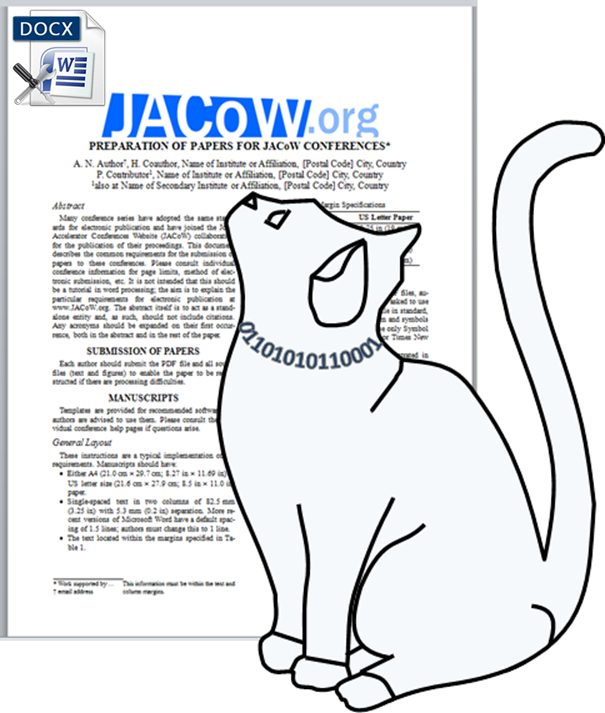
- JACoW Cat Scan Editor: Prior to uploading your paper to Indico, use the Cat Scan Editor to receive instant feedback and identify common issues.
- Reference abbreviation search -- takes you to the UBC Woodward Library.
Tips - common formatting overlooked
- References must have a DOI that is also hyperlinked. Please test to ensure that the link is taking the reader to the correct spot.
- URLs are not hyperlinked.
- Check your sub-headings, they should be in sentence case.
- Use the most current template to create your paper.
- Upload all your files. If you are using BibTeX, upload the bibliography file.
- LaTeX papers, make sure the identifier in the text for the figure matches the name of the figure file.
Publication Requirements
The Scientific Program Committee (SPC) reserves the right to reject the publication of papers in the conference proceedings which have not been properly presented in their accepted format (contributed oral or poster sessions). Manuscripts of contributions to the proceedings (or enlargements of them) may not be used as poster presentations and contributions presented in this manner will not be accepted for publication.
Naming of Files
Only files named according to the paper’s program code may be uploaded.
For example, for a paper with the program code MOXA999, that contains two figures, the files must be names as follows:
- MOXA999.tex (or .docx, .odt, etc.) corresponding to the source file
- MOXA999.pdf
- MOXA999_f1.eps (or .png, .tif, .jpg, …) corresponding to figure 1
- MOXA999_f2.eps (or .png, .tif, .jpg, …) corresponding to figure 2
When the files are ready for submission, please refer to the instructions about how to submit files via Indico.
Uploading your Files
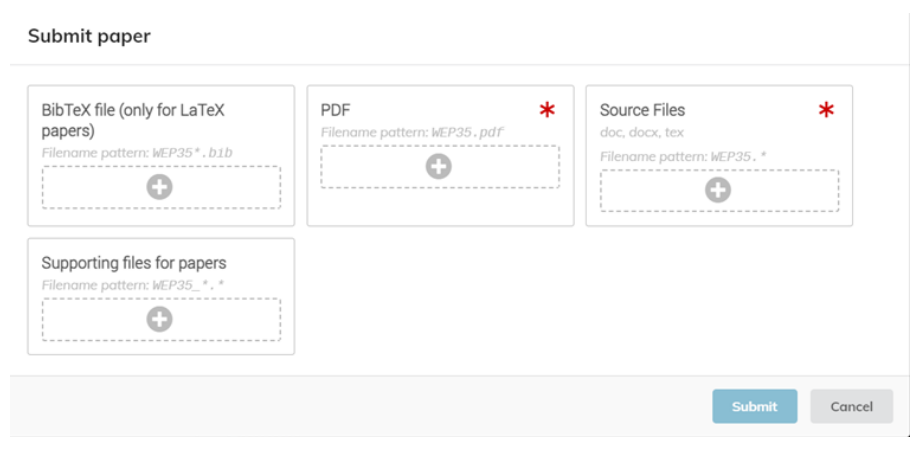
All files must be uploaded through the "My Contributions" area of the IBIC2026 website. If you have multiple contributions, please ensure to select the appropriate contribution from the list. At the bottom of the contributions page, the file upload section can be seen:

Clicking the "Submit Paper" button opens a dialog box where files can be uploaded. For each submission, authors must upload both a source file and a compiled PDF. If the submission includes figures (including if they are within a Microsoft Word source file), the corresponding figure files must also be uploaded under "Supporting files for papers."
Support
Please contact IBIC2026 if you have questions about managing your papers.