
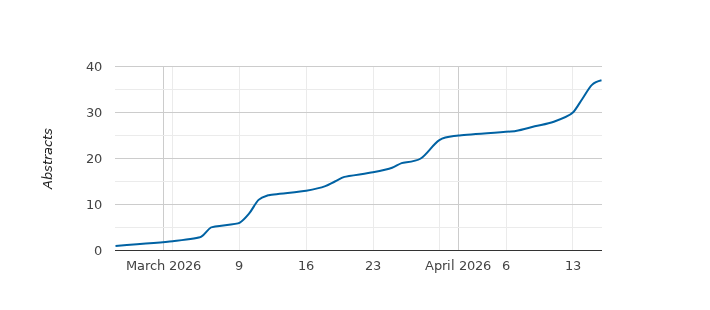
Please submit your abstract(s) via JACoW’s Indico on the Call for Abstracts page.
All submitting authors should review the guidelines below and carefully follow the required steps, including the procedure described after "Abstract Submission."
Quick Links
Documentation on JACoW accounts
Documentation on abstract submission
Call for abstracts / abstract submission
Submitting an Abstract
Abstracts are submitted through Indico, using your JACoW username (not email address). Abstracts submitted by any other method will not be considered.
- Check your JACoW Account
- All submitting authors must have an active JACoW Repository account with up-to-date personal information. Please note that JACoW updated its user registration process in March 2025. If you previously had a JACoW account, you may need to reset your password.
- Before proceeding, verify that your profile information (email address and primary affiliation) is current. This information will be used for contribution author lists, abstract booklet, and the final proceedings published on JACoW.
- Login to the IBIC2026 Indico system
- Log in to the IBIC 2026 Indico system using your JACoW username (not email address).
- If you experience login issues or require further guidance, detailed instructions are available in "How to Log In to Indico" found on the JACoW official documentation website.
- Submit your abstract(s)
- Submit your abstract(s) by clicking on the “Submit new abstract” link on the Call for Abstracts page and following the instructions below.
Title
Enter the title of the abstract, using Sentence case. Use capitals only where appropriate (e.g. acronyms or SI units).
Example: The EXP experiment running at 4 GeV
Content
An abstract is a concise summary of a paper. It should describe the paper and include a statement of the issue, research methods, and significant findings.
- Text should not exceed 1500 characters.
- Abstracts should be written as one continuous paragraph.
- Authors are requested to avoid using Greek symbols, superscripts or subscripts, LaTeX, MarkDown etc. while submitting the abstract.
- Use one or more asterisks (*, **, etc.) to indicate footnotes to be entered in the footnotes field (see below).
Note: While Indico offers a content preview, asterisks may be misinterpreted as Markdown commands. This behavior does not impact the final Abstract Booklet or the published proceedings, where the text will display correctly.
Author(s)
Please follow the dedicated instructions and screenshots to correctly enter all your co-authors.
Only the main (first) author must be listed in the “Authors” section of the abstract’s authors list in Indico. All other authors need to be added as “Co-authors”.
It is assumed that the primary author, or the author designated as the “speaker” (presenter) in Indico, is willing to submit a paper for inclusion in the conference proceedings. If the presentation will be delivered by someone other than the submitting author, this must be indicated on this page. Only one individual may be designated as the “speaker” for a contribution.
Should a paper be selected for oral presentation, the role Speaker will identify the person that will present the contribution in a talk in an oral session.
Otherwise, for papers selected for poster presentation, the role Speaker will identify the person that will present the poster during a poster session.
It is important to ensure that all co-authors are entered. Failure to do so will result in their exclusion from the author index in the proceedings.
Footnotes/Funding Agency
Footnotes are limited to 200 characters, please keep references concise. Enter footnotes or publications referenced by asterisks in the Abstract Text field, with a carriage return after each entry. Funding agency information should also be entered in this field. This field must not be used to request conference sponsorship.
Contribution Type
The default contribution type is Poster. Please remember to select your preferred contribution type during submission. The Programme Committee will later select Contributed Oral Presentations from the submitted abstracts. For more information, see Contribution Types, Guidelines and Requirements.
Comments
Include any useful notes for this contribution to the Scientific Secretariat.
Classification of Abstracts (tracks)
All contributions are grouped by Main and Sub Classifications. Authors are reminded that it is their responsibility to properly classify their abstracts to ensure that, if accepted for presentation, the paper is properly placed within the conference programme. A description of the scope of the classifications is provided to help authors with this task, see the Scientific Programme section.
Abstract Submission
Once the abstract text is entered, click the "Submit" button. Confirmation of submission will be sent by email.
Making Changes to Your Abstract
Once the author information is complete, click “Return to Abstract List” to print, edit, or withdraw the abstract. You may log in to JACoW’s Indico system at any time before the submission deadline to update your abstract or author information. Authors can withdraw abstracts independently until they are accepted as contributions in the program. If you need to withdraw your contribution after that time, please contact IBIC2026, specifying your abstract title and ID.
Questions
Please contact the Scientific Secretariat at IBIC2026 (IBIC2026@triumf.ca) if you have questions about managing your abstracts.